Project Zomboid Nucleus Co-Op Guide
Project Zomboid local split-screen via Nucleus Co-Op lets 2-4 survivors fight the undead together on a single PC using local server emulation.
Get game setup in NucleusRequirements
How to Set Up Project Zomboid Split-Screen
Project Zomboid uses a local server model. The Nucleus handler launches multiple game clients that connect to a shared local server.
- 1.
Install game setup
Search 'Project Zomboid' in Nucleus and install. Point to ProjectZomboid64.exe.
- 2.
Local Server Setup
The handler will prompt for server settings. Use the default local server configuration.
- 3.
Assign Inputs
Project Zomboid supports keyboard/mouse or controllers per instance.
- 4.
Connect to Local Server
Click Play. Both instances will launch and connect to the shared local server automatically per handler configuration.
Tips
Set up a dedicated local server (ProjectZomboidServer.bat) for the most stable experience.
Mods installed on the server instance will be used by all client instances.
Project Zomboid is top-down and relatively lightweight — even 4-player split-screen is manageable.
Each player has their own character but shares the same world and loot pool.
Common Issues
Project Zomboid second instance can't connect to local server +
About Project Zomboid Split-Screen
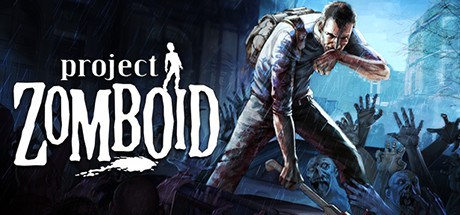
Project Zomboid is an isometric survival RPG set in a zombie apocalypse, developed by The Indie Stone. Its multiplayer mode supports up to 32 players on dedicated servers.
The game's top-down perspective and tile-based engine make it well-suited to split-screen play — each player's view is compact and informative. Nucleus enables local co-op using a built-in dedicated server approach.
Project Zomboid has one of the most active modding communities of any survival game, with thousands of mods available on the Steam Workshop. Mods work in the Nucleus configuration when installed on the server instance.
The game is regularly updated with major content patches (Build 42 added significant underground content). Handler updates usually follow within days of major game updates.